
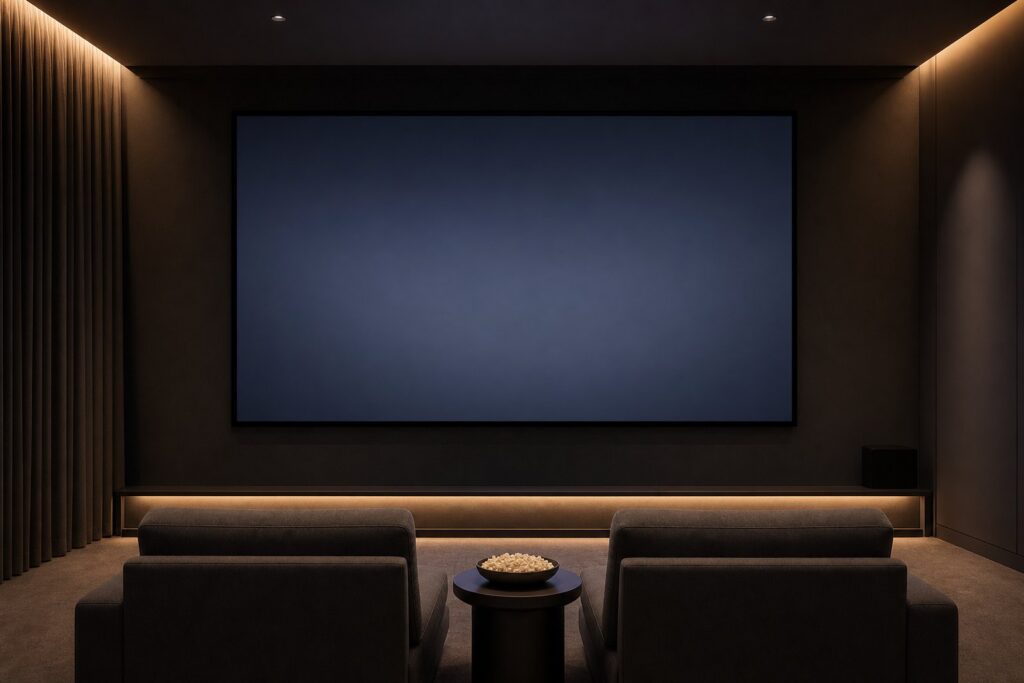
Almost every home cinema project starts with the same question: how big should the screen be? It is tempting to answer “as big as the wall allows”, but the professionals who design commercial cinemas do not work that way. They start with the seats, not the wall — because screen size is really a question of how much of your field of view the image fills.
Here is the practical, standards-based way to get it right, plus the three room constraints that quietly overrule the maths.
The one number that matters: horizontal viewing angle
Instead of thinking in inches, think in degrees. Two industry references define the sensible range:
- SMPTE – 30°: the long-standing reference for critical viewing. Relaxed, comfortable, forgiving of lower-quality sources. A good fit for living rooms and mixed-use spaces.
- THX – 36° (up to about 40°): 36° is the minimum THX expects from the back row of a certified room; the front rows sit nearer 40°. This is the cinematic, “you are inside the film” end of the scale.
The geometry is simple. For a seating distance D and a target angle a:
screen width = 2 × D × tan(a / 2)
And for a 16:9 screen, width is about 0.872 × the diagonal — so a 120″ 16:9 screen is roughly 2.66 m wide.
Screen size by seating distance (16:9)
Measure from the screen surface to the eyes of your main seating row, then read across:
| Seating distance | Relaxed (30°) | Cinematic (36°) | Very immersive (40°) |
|---|---|---|---|
| 2.5 m | 1.34 m wide ≈ 60″ | 1.62 m ≈ 73″ | 1.82 m ≈ 82″ |
| 3.0 m | 1.61 m ≈ 73″ | 1.95 m ≈ 88″ | 2.18 m ≈ 99″ |
| 3.5 m | 1.88 m ≈ 85″ | 2.27 m ≈ 103″ | 2.55 m ≈ 115″ |
| 4.0 m | 2.14 m ≈ 97″ | 2.60 m ≈ 117″ | 2.91 m ≈ 131″ |
| 4.5 m | 2.41 m ≈ 109″ | 2.92 m ≈ 132″ | 3.28 m ≈ 148″ |
| 5.0 m | 2.68 m ≈ 121″ | 3.25 m ≈ 147″ | 3.64 m ≈ 164″ |
Read it the other way round if you already have a screen in mind: a 120″ 16:9 screen wants roughly 3.6–4.1 m for a cinematic feel and about 5.0 m for a relaxed one. A 100″ screen lands at roughly 3.0–3.4 m cinematic, 4.1 m relaxed.
If your seats fall between two sizes, our experience is simple: go one size up if the room is dark and light-controlled, one size down if it is a bright living room. A big image in a bright room mostly looks washed out, not impressive.
Three room constraints that overrule the maths
1. Eye height and vertical angle
THX recommends keeping your line of sight within about 15° of the screen centre. In practice: seated eye height is around 1.1–1.2 m, so the ideal is the lower third of the screen at eye level, with roughly 25–35 cm of clearance below the image. A 2.9 m wide screen needs about 1.63 m of image height plus that clearance plus a frame — that is close to 2.1 m of usable wall. Standard 2.40–2.50 m ceilings run out faster than people expect, and a screen mounted too high causes neck fatigue long before it causes awe.
2. Projector brightness
Doubling screen area halves the light per square metre. A projector that looks punchy on a 100″ screen can look flat on a 150″ one. As a rough working rule for a dark room, plan around 1,500–2,000 ANSI lumens for 100″, and roughly double that for a mixed-light living room. If you are also choosing the projector, our comparison of 4K laser vs. lamp projectors covers how brightness holds up over the years, and screen gain explains how the material itself can buy back some of that lost brightness.
3. Ambient light
Screen size and screen material are one decision, not two. In a dedicated dark room a neutral white material at gain ~1.0 gives the most accurate image and lets you go big. In a room with windows and white walls, a light-rejecting material protects contrast far more effectively than extra inches do — see ALR vs. CLR vs. white screens. One important distinction: CLR materials are designed for ultra-short-throw projectors placed just below the screen, while ALR materials suit conventional ceiling-mounted projectors. Matching them the wrong way round costs you both brightness and uniformity.
What about resolution and pixel visibility?
A common worry: “if I sit that close, will I see the pixels?” With 4K material, essentially no. At the 36° angle the pixel structure of a 4K image stays below the resolving limit of 20/20 vision for practically every realistic home-cinema distance — which is exactly why UHD made larger, closer screens viable. With 1080p sources, closer seating does reveal softness, so a slightly more conservative 30° is the safer target if most of your content is HD, streamed at low bitrate, or older broadcast material.
Aspect ratio: 16:9 or 21:9?
Films shot in scope (2.39:1) appear letterboxed on a 16:9 screen, so their effective image height — and impact — shrinks. If your viewing is mostly films rather than sport and series, a 21:9 screen with a lens-memory projector keeps a constant image height across formats and uses your wall more efficiently. If the room does double duty for TV, gaming and sport, stay with 16:9. Either way, run the same width calculation: width, not diagonal, is what determines immersion.
Then choose the screen type
Once the size is fixed, the format follows the room. A fixed-frame screen gives the flattest, most tensioned surface and the cleanest look for a dedicated cinema wall; a motorised screen disappears when the room has to be a living room again. If you are still weighing up materials and construction in general, start with what a projection screen actually does.
For fixed installations, thin-bezel designs such as the Elite Screens AEON Edge Free keep the frame visually out of the way, and the wider fixed-frame range covers the common 100″–150″ sizes in both 16:9 and 21:9 — useful when the calculation lands on an unusual width. Whatever brand you choose, order a material sample first and check it in your own light before committing to a size.
Quick checklist
- Measure eye-to-screen distance of the main seating row.
- Pick a target angle: 30° relaxed, 36° cinematic, 40° only in a dark, dedicated room.
- Calculate width = 2 × distance × tan(angle / 2); convert to diagonal (16:9: divide by 0.872).
- Check ceiling height: image height + ~30 cm clearance + frame.
- Check projector brightness for that area, in your actual lighting.
- Choose the material for the room’s light, then the screen type for the room’s use.
- Tape the outline on the wall and live with it for a day before ordering.
Conclusion
Screen size is not a matter of taste alone — it is geometry with three sanity checks. Work from your seating distance to a viewing angle, verify ceiling height, brightness and ambient light, and you land on a screen that feels cinematic every evening rather than merely large on the first one. In most European living rooms with seats at 3–4 m, that answer is a 100″–120″ screen — and a well-matched material matters more than the last ten inches.
Header image created with AI for illustrative purposes.
Transparency: Home Cinema Hub is operated by Elite Screens Europe. Products from Elite Screens are mentioned where they genuinely fit the topic; the technical advice above applies to any brand.